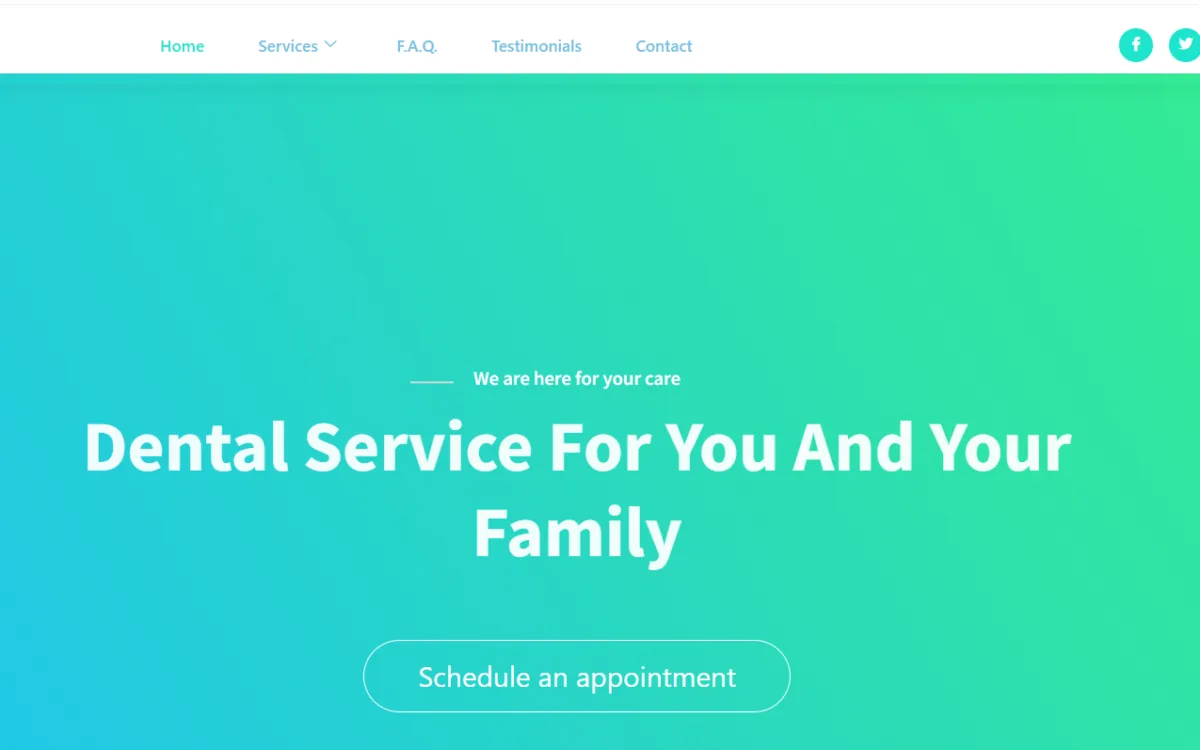
Flemingdon Dental: WordPress Site Build

Complete WordPress platform for a Toronto dental practice - custom post types for case studies, team profiles, and testimonials, appointment booking integration, migration from a legacy PHP site, and local SEO structure for the Flemingdon Park neighbourhood.

Overview

Dental practice websites have specific requirements that differ from generic small business sites. Patients visiting a dental site are typically making an assessment: is this practice credible, does it offer the treatment I need, can I book an appointment, and how do I get there. The site needs to answer those questions clearly and quickly, present the team in a way that builds trust, and make the appointment booking process as frictionless as possible. A site that fails on any of those points loses a prospective patient at the exact moment that person is ready to make a decision.

Flemingdon Dental’s existing site was built on a legacy PHP architecture - custom includes, a link management system, and a page structure that was difficult to update without developer involvement. The practice administrator could not update team profiles, add new case studies, or manage testimonials without editing PHP files directly. Routine content updates required technical support rather than being manageable by practice staff.

The migration needed to solve two problems simultaneously: move the content from a custom PHP architecture into a WordPress CPT-based model, and structure the new platform so that practice staff could manage all ongoing content updates independently.

Custom Post Type Architecture

Three CPTs built to match the practice’s content structure: Cases (treatment case studies with before/after context and procedure descriptions), Team (practitioner directory with credentials, specialties, and photos - updatable when staff join or leave), and Testimonials (structured patient feedback repository). Each CPT has its own meta boxes for the structured fields the theme expects. Practice staff update all three from the WordPress admin without developer involvement.

Legacy PHP Site Migration

Content from the legacy PHP architecture - organized through include files rather than a database model - mapped and migrated into the WordPress CPT model. Each piece of content evaluated, categorized, and entered into the appropriate CPT with the correct meta fields populated. The OptionTree-based theme settings control content display without additional customization.

Appointment Booking Integration

Contact Form 7 configured to capture the details a dental practice needs for appointment requests: patient name, contact information, preferred appointment window, treatment type, and new versus existing patient status. Field set matched to practice intake requirements. Confirmation handling configured to manage patient expectations about response times. Form integrated into the site layout and styled to match the theme.

Local SEO Structure

Consistent NAP (name, address, phone) markup throughout the site. Practice location information in schema-compatible format. Google Maps integration on the contact page so mobile users can get directions directly from the site without switching applications. For a Toronto neighbourhood dental practice, local search visibility is directly connected to new patient acquisition.

Responsive Layout

The DentalClinic theme’s responsive layout ensures the site works correctly across the range of devices a dental practice audience uses - desktop browsers when researching treatment options at home, mobile browsers when looking up contact information or directions. For Flemingdon Park’s transit-dependent population, mobile accessibility is particularly important.

OptionTree Theme Settings

OptionTree-based admin panel gives the practice administrator a structured options interface for managing theme settings without code changes. Schedule widget, video widget, and social feed widgets configured for practice content.

The Flemingdon Dental build represents a specific capability: taking a client whose content is trapped in a legacy system they cannot manage, and delivering a WordPress platform that the client’s own staff can operate fully without ongoing developer involvement. The CPT architecture is the mechanism - it structures the content model so that adding a team member, publishing a case study, or posting a testimonial is a form submission in the WordPress admin, not a code change.

This is the right outcome for a local healthcare practice: a reliable, locally-optimized WordPress presence that the practice owns completely and can keep current without depending on a developer for routine updates.

The Challenge & Solution

Replacing a Legacy PHP Site With a Managed WordPress Platform

Dental practice websites have specific requirements that differ from generic small business sites. Patients visiting a dental site are typically making an assessment: is this practice credible, does it offer the treatment I need, can I book an appointment, and how do I get there. The site needs to answer those questions clearly and quickly, present the team in a way that builds trust, and make the appointment booking process as frictionless as possible. A site that fails on any of those points loses a prospective patient at the exact moment that person is ready to make a decision.

Flemingdon Dental’s existing site was built on a legacy PHP architecture - custom includes, a link management system, and a page structure that was difficult to update without developer involvement. The practice administrator could not update team profiles, add new case studies, or manage testimonials without editing PHP files directly. Routine content updates required technical support rather than being manageable by practice staff.

The migration needed to solve two problems simultaneously: move the content from a custom PHP architecture into a WordPress CPT-based model, and structure the new platform so that practice staff could manage all ongoing content updates independently.

Custom Post Type Architecture

Three CPTs built to match the practice’s content structure: Cases (treatment case studies with before/after context and procedure descriptions), Team (practitioner directory with credentials, specialties, and photos - updatable when staff join or leave), and Testimonials (structured patient feedback repository). Each CPT has its own meta boxes for the structured fields the theme expects. Practice staff update all three from the WordPress admin without developer involvement.

Legacy PHP Site Migration

Content from the legacy PHP architecture - organized through include files rather than a database model - mapped and migrated into the WordPress CPT model. Each piece of content evaluated, categorized, and entered into the appropriate CPT with the correct meta fields populated. The OptionTree-based theme settings control content display without additional customization.

Appointment Booking Integration

Contact Form 7 configured to capture the details a dental practice needs for appointment requests: patient name, contact information, preferred appointment window, treatment type, and new versus existing patient status. Field set matched to practice intake requirements. Confirmation handling configured to manage patient expectations about response times. Form integrated into the site layout and styled to match the theme.

Local SEO Structure

Consistent NAP (name, address, phone) markup throughout the site. Practice location information in schema-compatible format. Google Maps integration on the contact page so mobile users can get directions directly from the site without switching applications. For a Toronto neighbourhood dental practice, local search visibility is directly connected to new patient acquisition.

Responsive Layout

The DentalClinic theme’s responsive layout ensures the site works correctly across the range of devices a dental practice audience uses - desktop browsers when researching treatment options at home, mobile browsers when looking up contact information or directions. For Flemingdon Park’s transit-dependent population, mobile accessibility is particularly important.

OptionTree Theme Settings

OptionTree-based admin panel gives the practice administrator a structured options interface for managing theme settings without code changes. Schedule widget, video widget, and social feed widgets configured for practice content.

Challenge & Solution
Dejan Markovic
Dejan Markovic WordPress Architect
Best experience I've had to date with someone from Codeable. Dejan and his team jumped on a critical project over a weekend and had it sussed and patched on a Sunday; by Monday evening a fix was fully implemented. The team exceeded my expectations and I will be using them for all of my development needs going forward.
Eric R. | CEO & Founder, carsandcoffeeevents.com