WordPress API Integration in Toronto
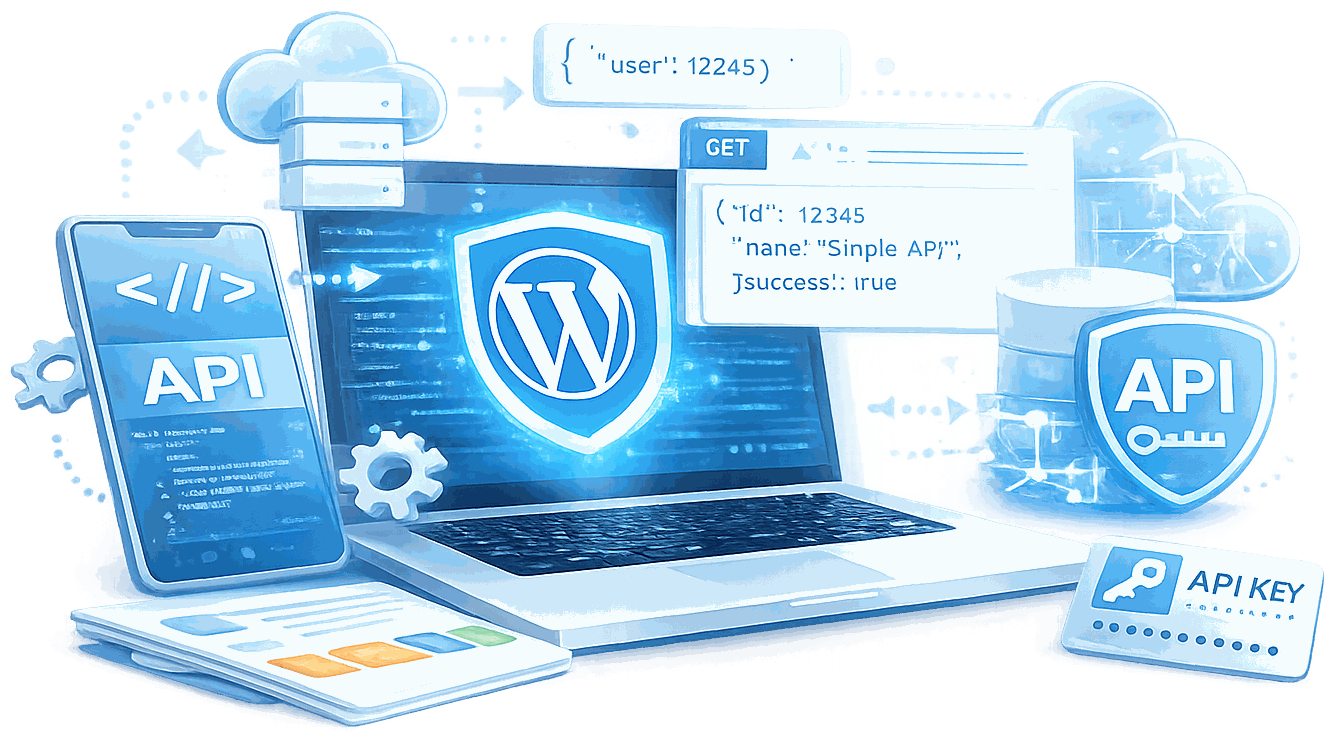
WordPress API integration connects your site to CRM, ERP, payment and other enterprise systems through REST APIs, webhooks and n8n. I build these as structured data pipelines that survive plugin updates, developer turnover and production traffic. I have built integrations for Rogers Communications, Great-West Life and the Ontario Ministry of Education.
What Are the Benefits of WordPress API Integration?
What Enterprise API Integration Actually Requires in Toronto
Toronto's financial district, provincial government sector, and national media brands all have integration requirements that generic offshore teams handle inconsistently - compliance obligations, bilingual obligations, and infrastructure where failures are news stories, not support tickets. There is also a practical advantage: when a production issue needs to be resolved inside business hours in the Eastern time zone, I am available in that window.
The Gap Between ‘I’ve Done Enterprise Work’ and ‘I Was the Lead’ Is Enormous
One means you touched a big project. The other means you owned the architecture decisions, sat in the security review meetings, and had your name on the code when something broke. Most WordPress API integrations that fail do not fail at launch - they fail six months later when a plugin updates, an API version is deprecated, or a webhook starts delivering duplicates and nobody has the logging to diagnose it.
Integration Capabilities - From REST Endpoints to Enterprise Data Pipelines
Custom REST API endpoints built to WordPress coding standards, versioned and documented. Third-party platform connections covering CRM, marketing automation, ERP, and social APIs. Webhook architecture with queuing, retry logic, and idempotency - built to handle the broken paths, not just the expected ones.
80+ Custom n8n Automations. Amazon Personalize WooCommerce Integration Built for WP Engine.
I have built 80+ custom n8n automations that sit between WordPress and everything else - triggering workflows on form submissions, pushing data to marketing platforms, pulling inventory from third-party systems, routing documents through approval chains, and connecting WordPress to AI services.

Why These Credentials Matter for API Integration Specifically
Microsoft Certified Professional in ASP.NET, WordPress.org contributor, author of WordPress Responsive Theme Development (Packt, 2013), and WordCamp Toronto organizer 2014-2016. These are verifiable signals of depth that procurement teams and IT leads use to evaluate vendor risk - not conference badges.
Pre-Build Deliverables on Every Project
Every engagement includes three deliverables before a line of code ships: a System Audit and Data Flow document mapping every integration point and failure mode, an Integration Architecture document reviewed by you and your IT team, and a Staging Build with full error state coverage - malformed payloads, rate limit hits, duplicate webhook delivery, partial sync states.
Many of the API integrations I build for clients tie into n8n workflow automation, letting data move between systems without manual handoffs.
How Does My WordPress API Integration Process Work?
Discovery & System Audit
I map every system involved: what data lives where, how it currently moves, what authentication protocols each API requires, and where the failure points are. Then I ask the questions most developers skip: What happens when the third-party API returns a 429? What happens when a webhook fires twice? What is the data contract if the payload schema changes? This phase saves weeks.
Architecture Design & Sign-Off
Data flow diagrams, endpoint specs, error handling logic, and a clear picture of where state lives. You review it. Your IT team reviews it. If something does not match your internal security requirements or existing infrastructure, we resolve it here - not after it is already deployed to staging.

Staging Build
All development happens on a staging environment that mirrors production. I do not test against live data unless the project specifically requires it, and when it does, read-only credentials until write operations are validated. Every integration is built to handle the broken paths, not just the expected ones.
Edge Case Validation
Malformed payloads. Authentication failures. Rate limit hits. Partial sync states. Duplicate webhook delivery. These are the edge cases that do not show up in demos and show up at 2am during a campaign push. I find them in staging.
What Should You Know About WordPress API Integration Toronto?

Why Most API Integrations Break Six Months After Launch
Most integrations break at an edge case no one thought to test. The third-party service changes an endpoint without notice. A 429 rate limit fires under load. The data format coming in has changed and the mapping layer has no graceful failure path.
Enterprise API integration is not about building the happy path. It is about building every failure mode before it reaches production. Retry logic, circuit breakers, dead-letter queues for failed webhook deliveries, logging that tells you what broke before a client does.
I have delivered integrations for Great-West Life, Ministry of Education Ontario, and Munich Re - clients where a silent data failure is not a minor bug. The standard I hold every integration to comes from environments where the failure cost was real.

What the Documentation Looks Like After I Leave
The most reliable signal of a senior integration engagement is not the code - it is what someone unfamiliar with the project can understand from the handoff documentation.
I produce three documents on every engagement before launch: a system audit and data flow diagram, an architecture sign-off document for IT security review, and a technical handoff written for the developer who maintains it after I leave. Endpoint specifications. Authentication flows. Error codes. What to expect when the third-party service goes down.
Most integration documentation is a README with environment variables and a curl example. Mine is written for the person who takes this over at 11pm on a Friday.

The Difference Between a Working Integration and a Production-Ready One
A working integration passes the demo. A production-ready integration handles the cases that do not show up in the demo: malformed payloads, authentication token expiry, a downstream service returning a 500 at 2am.
Every integration I deliver includes staging builds where I deliberately trigger failure states. Malformed data coming in. Auth tokens expired. Rate limits hit. The integration logs the failure, retries with exponential backoff if appropriate, alerts on repeated failure, and does not silently drop data.
That gap - between working and production-ready - is where most integration projects fail after launch.

When the Integration Becomes the Product
The Amazon Personalize WooCommerce plugin I built for WP Engine was not a bolt-on. WP Engine contracted the build, presented it at their partner summit, and listed it as a featured solution in their Solution Center. It is a plugin where the AI recommendation layer is the feature.
That kind of engagement - where the integration is the product, not a connection between two systems - requires a different level of architectural thinking. Data pipeline design. API contract design. Performance requirements that cannot be addressed by adding a caching layer.
It is also the kind of engagement that takes 20+ years of development experience to scope correctly.
The Vendor Who Has Not Passed a Real Security Review Is a Risk to Your Project
Ontario financial services and government sectors run real security reviews. Not a checkbox. A review where the code is inspected, the architecture is questioned, and the vendor either passes or gets sent back.
I have been through this process - at Ministry of Education Ontario, Munich Re, and Great-West Life. The consequence of that experience is that I know what to build before the review happens, not after.
A vendor who has never delivered under those conditions will discover the gaps during your review. That discovery costs time, project momentum, and sometimes the entire engagement.
What Is Included in WordPress API Integration?

System Audit & Data Flow Documentation
Before any code is written: every system involved mapped, data flows documented, authentication protocols identified, and failure points flagged. This phase takes time. It saves weeks later.
Integration Architecture Document
Data flow diagrams, endpoint specifications, error handling logic, and a clear picture of where state lives - reviewed by you and your IT team before development begins. For organizations with internal IT security review requirements, this document is what they need to approve the work.

Staging Build with Error State Coverage
Built and tested in a staging environment that mirrors production. Happy path and broken ones: malformed payloads, authentication failures, rate limit hits, partial sync states. The edge cases that do not show in demos are the ones that show up at 2am during a campaign push.

Architecture Sign-Off Document
A formal document for your internal IT or security review team covering authentication methods, data handling, encryption in transit, and any compliance considerations specific to your industry or jurisdiction.

Production Deployment with Rollback Plan
Deployment during a low-traffic window with a documented rollback procedure ready. Immediate monitoring active at go-live.
Integration Monitoring & Alerting
Logging, alerting, and dashboard visibility deployed before go-live. Every data transaction logged to a persistent store. Failure alerts configured so you know before your customers do.
Which Add-Ons Are Available for WordPress API Integration?
Enterprise and complex implementations typically include the following, scoped explicitly during discovery:
Integration Audit for Existing Builds
Inherited an integration that works inconsistently, breaks on plugin updates, or nobody can explain? I audit it: identify failure points, document what it does, and recommend whether to refactor or replace. Sometimes the cheapest fix is a clear picture of what is broken and why.
Headless WordPress Architecture
WordPress as a headless CMS with a React or Next.js frontend. Authentication, content endpoints, preview mode, and build pipeline architected so your frontend team has a reliable data source.
Bidirectional Sync
Data flowing in both directions between WordPress and your external system - contact records that update correctly, lead scoring that reflects real on-site behaviour, inventory levels that stay accurate.
n8n Automation Layer
Custom n8n workflows connecting WordPress to any external platform or AI service. 80+ automations delivered. Lead nurturing, CRM sync, AI content pipelines, order-triggered warehouse workflows.
Amazon Personalize WooCommerce Integration
A custom Amazon Personalize WooCommerce integration built for WP Engine and presented at their Decode 2021 conference. Available as a reference architecture for stores requiring AI-driven product recommendations.
Retainer-Based Integration Maintenance
APIs change. Plugins update. Authentication specs evolve. Monitoring, updates when upstream APIs change, compatibility testing after WordPress core and plugin updates, and incident response when something behaves unexpectedly.
What Results Have Enterprise Clients Seen?
Great-West Life - WPML + AEM Migration
Great-West Life - WPML + AEM Migration: Great-West Life needed WPML multilingual across the Lifeco corporate site covering Canada Life and London Life subsidiaries. Multilingual was not a feature request - it was a legal requirement for a publicly traded Canadian company. Then a full migration from WordPress to Adobe Experience Manager: years of structured content, editorial metadata, and taxonomy relationships all transferred intact. Idempotent processing was not optional - it was the only way the migration worked cleanly across three brands. Canada Life and London Life followed the same playbook because the architecture held the second and third time through.
Ministry of Education Ontario - Bilingual Custom CMS
Ministry of Education Ontario - Bilingual Custom CMS: Not a plugin configured to handle two languages. A custom EN/FR file association system with a status workflow that matched their internal editorial approval process exactly - every state, every permission level, every transition. Government editorial workflows do not bend to accommodate off-the-shelf tools. The Ministry’s internal teams picked it up without a training session longer than an hour. That is how you know the architecture matched how people actually work.
Munich Re - Security Standards With Real Consequences
Munich Re - Security Standards With Real Consequences: Munich Re’s IT security team ran penetration tests and automated security scans before deployment. The platform passed. Bad code in a global reinsurance company’s infrastructure has real financial consequences - their security process exists because of that. That standard is what I apply to every integration I build, regardless of the client’s size.
Frequently Asked Questions About WordPress API Integration Toronto
On the CRM and marketing side: HubSpot, Mailchimp, ActiveCampaign, Microsoft Dynamics 365, Adobe Experience Manager, and custom internal APIs. On the social and content side: Twitter, LinkedIn, Facebook, and Instagram APIs - integrated as part of Social Web Suite, a SaaS platform built for 12,000+ registered users. On the e-commerce side, WooCommerce to ERP inventory systems and the Amazon Personalize recommendation engine. On the cloud infrastructure side: built Social Web Suite on a full AWS stack - AWS Lambda, Amazon SQS, ECS/Fargate, Amazon RDS, S3, CloudFront, CloudWatch, EC2. For automation: 80+ n8n workflows connecting WordPress to marketing platforms, AI services, and operational systems. The platform matters less than the architecture underneath it.
Single-system connections start around $5,000. Multi-platform enterprise integrations with compliance documentation and IT security review support typically range from $25,000 to $100,000+. I will tell you the scope after a discovery call - not after billing starts. The discovery phase is where I ask the questions your last developer did not.
Yes - with the right architecture. WordPress’s REST API, combined with Action Scheduler for background processing, OAuth 2.0 middleware, and webhook queuing, makes WordPress a legitimate enterprise integration layer. I have proven this by integrating WordPress with global systems at Munich Re, building a bilingual government CMS for the Ministry of Education Ontario, and migrating years of structured multilingual content from WordPress to Adobe Experience Manager for Great-West Life - three times, across three brands.
Integrations built on proper architecture do not break from plugin updates - they are decoupled from the plugin layer. Integrations that break on every plugin update have an architecture problem, not a maintenance problem. My integrations are built against WordPress’s stable REST API and internal hooks, not against specific plugin internals. I also offer a retainer that covers monitoring and compatibility testing when WordPress core or plugin major versions release.
Every integration I build logs failures to a persistent store and sends immediate alerts. Silent failure is not acceptable. The logging covers the full transaction: what was sent, what was received, what the response code was, and what the retry state is. Data loss from a failed webhook that nobody knew about is a recoverable operational problem if you have the logs. It is an unrecoverable trust problem if you do not.
Yes. I have reverse-engineered undocumented APIs and worked directly with third-party support teams to clarify behaviour. Undocumented APIs require additional discovery time - that is factored into the scope and budget honestly, before development begins.
Yes. If you inherited an integration that works inconsistently, breaks on plugin updates, or nobody can explain, I can audit it. I identify the failure points, document what it does, and recommend whether to refactor or replace. Sometimes the cheapest fix is a clear picture of what is broken and why - and the answer is not always a full rebuild.
Simple webhook integrations with a single well-documented third-party API take two to four weeks. Complex bidirectional ERP integrations with compliance documentation and IT security review support typically run eight to sixteen weeks. The Ministry of Education Ontario’s bilingual editorial workflow required several months of precise development and testing to meet government procurement standards. Timeline is established during discovery - not estimated after billing starts.
Ready to connect WordPress to the systems your business actually runs on?
Tell me which systems need to talk to each other, what your data looks like, and what breaks when the integration fails. I will respond within one business day with a candid assessment of the right architecture for your situation and what the project would involve.Architecture starts with a conversation, not a bill. No commitment. No sales pitch. Twenty years of enterprise delivery behind the answer.
Beyond client projects, I'm also co-founder of HYPESTUDIO.
It's a separate AI automation agency (not a WordPress service) building workflows, agents, and systems for growing businesses.
Visit HYPESTUDIO.orgAI automation, integrations & growth systems