WordPress Website Migrations in Toronto
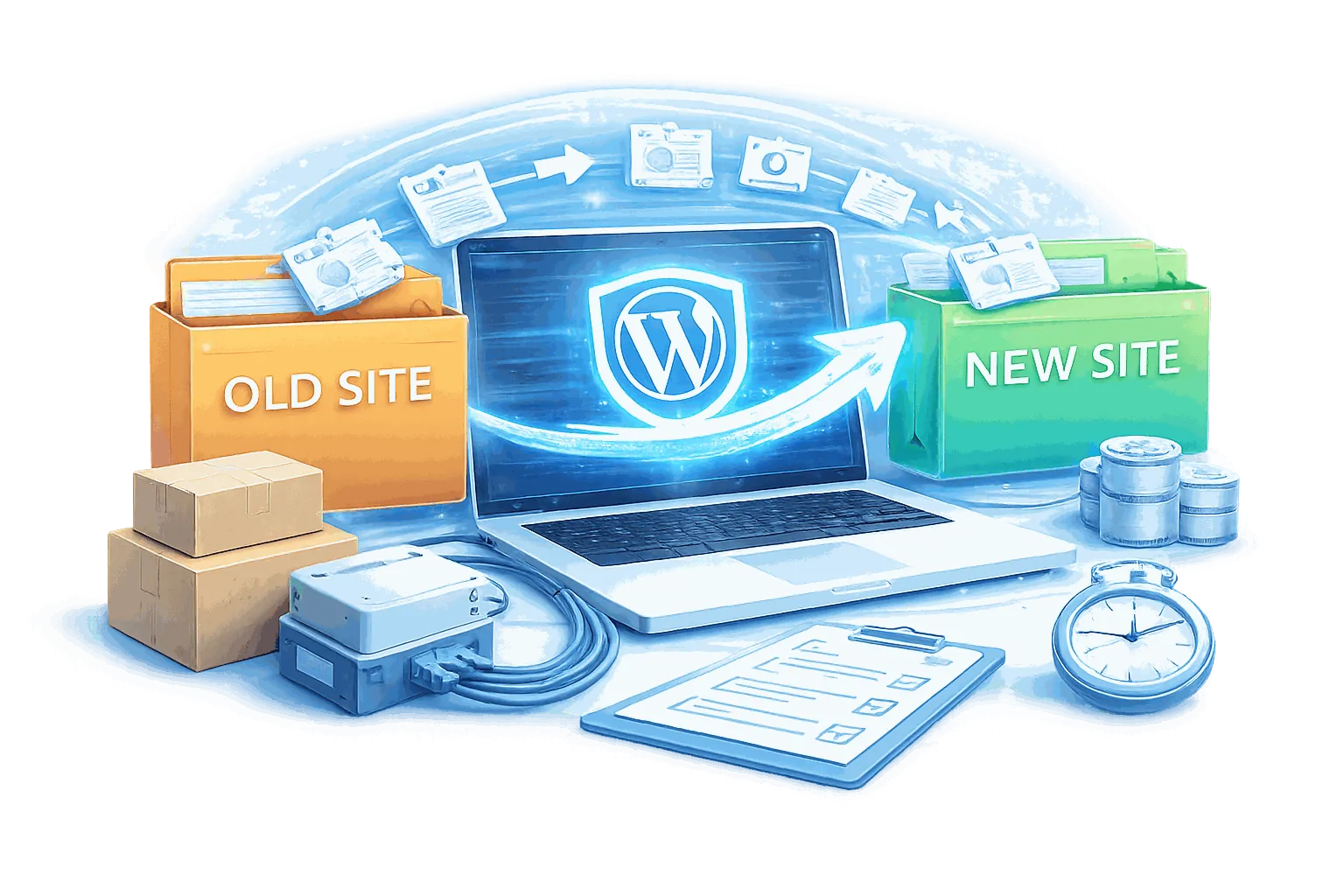
A WordPress migration moves your site to a new host, or from another CMS, without losing rankings or data. Most migrations lose rankings because 301 redirects were skipped, and SEO recovery then takes three to six months. I follow a staging-first protocol with zero-downtime cutover and a full redirect map.
What Are the Benefits of WordPress Website Migrations?
The Three Things That Kill Migrations After They Appear to Succeed
A migration can appear successful at launch and still have caused lasting damage. Serialized data corruption from naive search-and-replace, hardcoded absolute URLs left in post content and meta, and upload directory mismatches from changed server configurations are all problems that surface days or weeks after cutover - not on launch day.
Standard Inclusions Across All Migration Engagements
Every migration includes a pre-migration audit report, a staged migration with full QA pass, and a production cutover with a verified rollback option.
A Staged Process With a Rollback Option at Every Step
No experienced developer does production-only migrations. Every hosting environment has configuration differences that affect WordPress behaviour. Finding those issues on staging takes an hour to resolve. Finding them on production after DNS cutover takes much longer and costs more.
Every Type of WordPress Migration - Scoped Individually
Host-to-host migrations, domain migrations, and CMS to WordPress migrations - each scoped individually based on your environment.

Migration Add-Ons
Post-migration add-ons include performance optimization for the new hosting environment, a full security audit, and an ongoing maintenance plan.
How Does My WordPress Website Migrations Process Work?
Pre-Migration Audit
Complete file, database, plugin, and integration inventory. URL export and redirect mapping from Google Search Console. DNS configuration review. Identification of migration risks specific to your installation: hardcoded URLs, serialized configuration, custom upload paths, plugin compatibility differences between PHP versions on source and destination hosts.
Staging Migration & QA
Full migration on staging: database export with explicit character set flags, import with encoding verification, row count verification, file transfer with permission mapping, serialization-aware URL replacement, plugin activation, and full QA pass. Nothing moves to production until staging QA passes and is documented.
Pre-Cutover Preparation
DNS TTL reduced to 300 seconds 24-48 hours before cutover. SSL certificate provisioned and validated on new host before nameserver changes. CDN configuration updated. Old environment verified functional as rollback target.
Production Cutover
Production migration in scheduled low-traffic window. DNS nameserver changes made. Post-cutover propagation monitoring across multiple resolvers. Rapid QA on live site. Old hosting account maintained for 72 hours.
What Should You Know About WordPress Website Migrations Toronto?

The Pre-Migration Audit Is Not a Formality
Every migration I deliver starts with a written scope document: file and database inventory, URL export and redirect map, integration point audit, hosting environment delta. Not as a formality - as the document that determines whether the migration is safe to proceed.
Migrations that skip the audit phase discover their problems in production. A redirect map that was not built before launch. Integration credentials that were not documented. A plugin that behaves differently on the new host.
The audit takes time. It is also why the migrations I deliver do not require a second migration six months later.
301 Redirects Configured Before DNS Changes - Not After
A migration that changes URL structure without configuring 301 redirects before the DNS cutover loses search rankings for every URL that does not redirect correctly. Rankings accumulated over years are gone within the next crawl cycle, and recovery takes months.
I configure and test the complete redirect map on staging before a single nameserver record changes. Every indexed URL in the pre-migration Search Console export either resolves on the new host or has a 301 redirect pointing to its new location.
DNS changes go live only after the redirect map is verified against the actual crawl data.
SEO Damage from a Bad Migration Compounds - The Longer You Wait to Fix It
A migration that changes URLs without configuring 301 redirects does not just lose rankings for those pages - it signals to Google that the content has been removed. Rankings bleed for three to six months before the pattern is visible in Search Console. Recovery requires ongoing remediation work that costs more than getting the redirects right in the first place. Every migration I run starts with a full URL inventory exported from Google Search Console, a complete redirect map verified on staging before DNS cutover, and a 30-day post-migration monitoring period. The redirects go in before the first DNS record changes.

No Experienced Developer Does a Production-First Migration
A production-first migration has one test run: the live site, in front of real users, with no rollback path that does not involve downtime. A staging-first migration has as many test runs as needed before the source environment is touched. I run the complete migration on staging - database import, file transfer, URL replacement, plugin activation, form testing, SSL validation - and initiate production cutover only after staging QA passes and is documented. This adds hours to the timeline and eliminates the category of failures that are catastrophic to reverse.
Enterprise Migration Experience Comes from Understanding How WordPress Actually Breaks
I published WordPress Responsive Theme Development with Packt in 2013 and co-organized WordCamp Toronto from 2014 to 2016, serving as lead organizer in 2016. That background means understanding WordPress internals at the level where migrations break: serialized option values in the database, hardcoded URLs in post content, plugin-specific configuration stored as PHP serialized arrays. I know where the bodies are hidden because I have already found them in production environments for organizations that could not afford to find them the hard way.

Enterprise Migrations Are Change Management Problems First, Technical Problems Second
Moving a single-site business WordPress installation is a technical problem. Moving a multi-subsidiary enterprise content platform is a change management problem that also happens to be technical. The Great-West Life Lifeco migration I ran involved WPML across multiple subsidiaries - Canada Life and London Life - with structured financial institution content accumulated over years. Before that content moved to Adobe Experience Manager, every URL structure, every user role, every editorial workflow had to be documented, cleaned, and validated. That experience changes how I approach every migration, regardless of scale.
What Is Included in WordPress Website Migrations?

Pre-Migration Audit Report
Written scope document covering file and database inventory, URL export and redirect map, integration list, and identified migration risks specific to your installation - hardcoded URLs, serialized configuration values, custom upload paths. You receive this report whether you proceed with remediation or not.
Staging Migration & Full QA Pass
Complete migration run on staging with documented QA results: page rendering, form submissions, WooCommerce checkout (where applicable), media library integrity, SSL validity, no PHP or JavaScript console errors. Nothing moves to production until staging QA passes.

Production Cutover with Rollback Option
Coordinated production cutover in a scheduled low-traffic window. Old hosting account retained for 72 hours post-cutover as a verified rollback path. Not a ‘restore from backup if something goes wrong’ - the original environment remains available and functional for three days.

Complete 301 Redirect Map
Every indexed URL in your pre-migration Google Search Console export mapped to its destination URL. HTTP status verified for every redirect before DNS cutover. Configured on the new host and verified post-launch.

SSL and DNS Configuration
SSL certificate provisioned on new host before nameserver changes. DNS configuration records documented. Post-cutover propagation verified across multiple resolvers - not just checking that the new site loads on one connection.
48-Hour Post-Migration Monitoring
Error log review, Google Search Console sitemap resubmission, and uptime monitoring immediately following cutover.
Which Add-Ons Are Available for WordPress Website Migrations?
Optional services frequently added to migration engagements.
Performance Optimization Post-Migration
Caching configuration, image compression, and database cleanup tuned for the new hosting environment after migration completes. Recommended when migrating to a managed WordPress host (Kinsta, WP Engine) where caching configuration differs from the source environment.
Security Audit Post-Migration
Full WordPress security audit on the new host covering plugin vulnerabilities, user roles, file permissions, and server configuration. Recommended for any migration to a new hosting environment where server-level security configuration may differ.
WordPress Maintenance Plan
Ongoing WordPress maintenance, updates, backups, and uptime monitoring after migration handover. The developer who handled the migration already knows the site’s configuration and edge cases - continuity of knowledge is faster and safer than onboarding a new provider.
Pre-Migration Performance Cleanup
If the source environment has accumulated performance debt - slow queries, unoptimized images, plugin bloat - cleaning it before migration prevents those problems from following the site to the new host. The Great-West Life WordPress environment was cleaned before the AEM migration path was executed.
WPML and Multilingual Migration
Multilingual WordPress installations require specific attention: translated content relationship preservation, hreflang configuration migration, and URL structure decisions that affect both SEO and editorial workflow on the new host. Delivered in production for Great-West Life across three brands.
Ongoing SEO Monitoring
Monthly Google Search Console review for 90 days post-migration. Crawl errors, coverage drops, and ranking changes tracked and addressed as they emerge. Recommended for sites where organic search is a primary traffic source.
What Results Have Enterprise Clients Seen?
Great-West Life / Lifeco - WPML to Adobe Experience Manager
Great-West Life / Lifeco - WPML to Adobe Experience Manager: Multi-subsidiary WPML installation spanning Canada Life and London Life, migrated to Adobe Experience Manager. Structured content, bilingual editorial workflows, financial institution IT requirements. Content architecture designed, migration path executed, transfer completed without data loss or downtime. Canada Life and London Life followed the same playbook because the methodology held the second and third time through. Years of structured content transferred cleanly. No data loss. No content rebuilt from scratch.
Ministry of Education Ontario - Bilingual Government Environment
Ministry of Education Ontario - Bilingual Government Environment: Bilingual EN/FR newsletter application for Ontario’s school board network. Custom post types, editorial approval workflows, file association system. Environment migration with government IT security review. Role-based access controls and audit logging verified intact post-migration before handover. Government clients do not accept production failures. The migration was staged, tested, and signed off by internal IT before cutover.
Munich Re - Platform Transitions Under IT Review
Munich Re - Platform Transitions Under IT Review: Their IT security team ran penetration tests and automated security scans before deployment. The platform passed. Platform transitions required clean handovers with full documentation and zero open issues. The professional bar of that environment is the standard I bring to every migration engagement, regardless of the client’s size.
Rogers and Sportsnet - Scale and Continuity
Rogers and Sportsnet - Scale and Continuity: Enterprise media platforms where content organization, platform reliability, and zero-downtime transitions are operational requirements, not best practices. Experience at that scale builds the DNS, CDN cache invalidation, and session handling knowledge that prevents the failure modes smaller migrations encounter.
Frequently Asked Questions About WordPress Website Migrations Toronto
A WordPress migration involves transferring your site’s database, files, themes, and plugins from one environment to another - and doing it in a way that preserves SEO rankings, data integrity, and site functionality. The technical work includes database export with character encoding verification, file transfer with permission mapping, serialization-aware URL replacement, DNS cutover coordination, and SSL certificate configuration on the new host. The non-technical work - URL inventory, redirect mapping, integration documentation, QA planning - is what separates a clean migration from one that creates problems you do not notice until weeks later.
Data loss in WordPress migrations almost always happens at the database layer, not the file transfer. I address it with three controls: I export the database with explicit character set flags to prevent encoding corruption, I verify the import row count against the export row count before proceeding, and I use serialization-aware URL replacement tools that update string length values in PHP serialized arrays rather than corrupting them. The source database and files remain untouched until the staging migration has passed full QA.
A properly executed migration with correct 301 redirects should have minimal long-term SEO impact. Google transfers ranking signals from old URLs to new URLs via 301 redirects within days to weeks. What causes lasting damage is a migration that changes URLs without configuring redirects, or a post-migration crawl coverage drop from 404 errors that never get addressed. My pre-migration process includes a full URL inventory from Google Search Console, a complete redirect map verified before DNS cutover, and a 30-day post-migration check-in to review Search Console for any coverage issues that emerge after Google re-crawls the site.
A standard single-site host-to-host migration from initial audit to post-launch sign-off typically takes five to ten business days: pre-migration audit and URL mapping (one to two days), staging migration and QA (one to two days), 24-48 hour DNS TTL reduction period before cutover, production cutover (a few hours in a low-traffic window), and 48-hour post-launch monitoring.Enterprise migrations - multilingual installations, WooCommerce stores with order history - are scoped individually.
A staging migration runs the complete migration process on a test environment before touching production. Every hosting environment has configuration differences that affect WordPress behaviour - PHP version, memory limits, caching configuration, file permission defaults. Finding those issues on staging takes an hour to resolve. Finding them on production after DNS cutover takes much longer and costs more. No experienced developer skips this step.
Yes. CMS-to-WordPress migrations involve different considerations than host-to-host WordPress migrations. The primary challenges are content export format limitations, URL structure changes that require redirect mapping, and recreating functionality in WordPress that was handled natively by the source platform. I scope each CMS migration individually based on content volume, URL complexity, and what functionality needs to be replicated. I will tell you upfront what migrates cleanly, what requires additional work, and what is out of scope.
Yes. This is the reference engagement from the Great-West Life Lifeco migration - a multi-subsidiary WPML platform spanning Canada Life and London Life, migrated to AEM with years of structured bilingual content transferred intact. Enterprise CMS-to-CMS migrations require content architecture planning, field mapping, relationship preservation, and editorial workflow documentation before migration begins. The source WordPress environment needs to be clean and structurally sound before migration starts. I have done this at scale for a major Canadian financial institution. The methodology transfers to any organization planning a similar transition.
Ready to migrate your WordPress site without losing rankings or data?
Tell me about your migration scope: where you are, where you need to go, and what your timeline looks like. I will respond within one business day with a migration approach, a realistic timeline, and what the engagement would cost - after reviewing your site, not before.A migration quote without a scope review is a guess. The first step is a conversation about what your site requires.
Beyond client projects, I'm also co-founder of HYPESTUDIO.
It's a separate AI automation agency (not a WordPress service) building workflows, agents, and systems for growing businesses.
Visit HYPESTUDIO.orgAI automation, integrations & growth systems