WordPress Website Management in Toronto
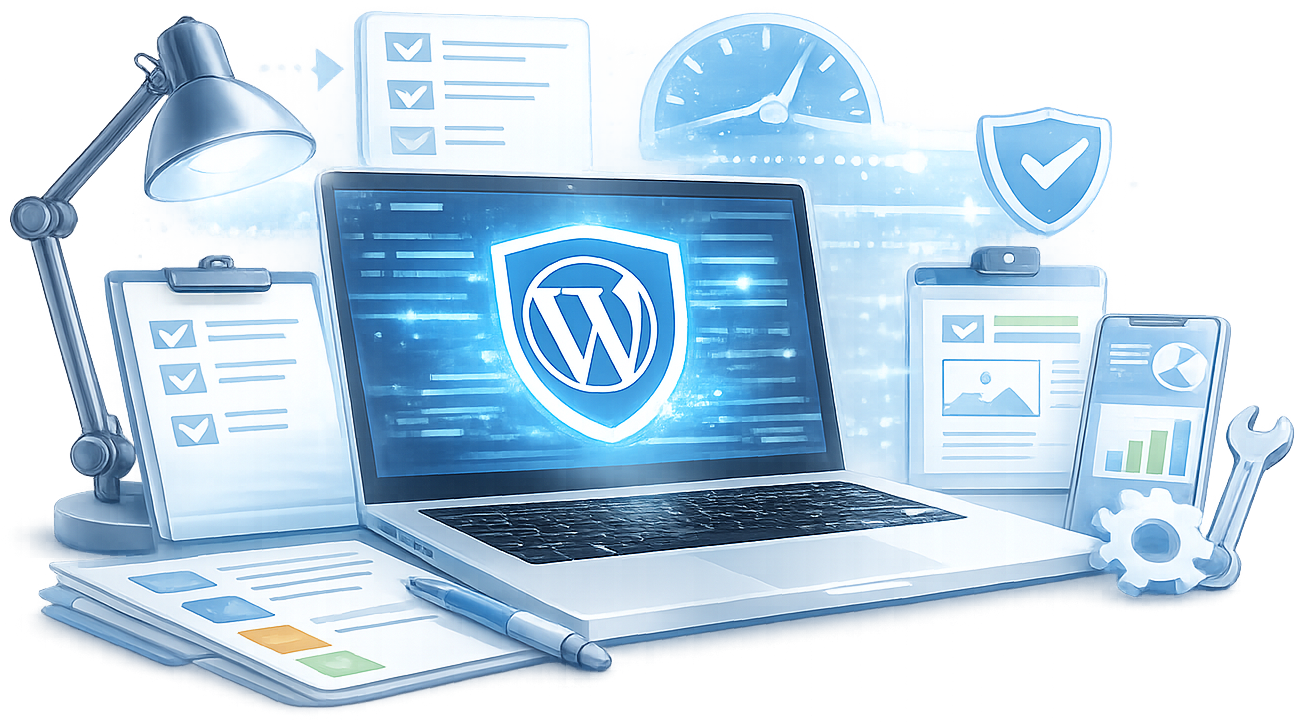
A managed WordPress site isn't just a maintained one. Maintenance keeps the lights on. Management turns a stable site into a business asset that improves month over month - faster, better optimized, and increasingly aligned with what your business actually needs. The distinction matters when you're choosing what to invest in.
Key Benefits
One Developer on Every Call, Every Commit, Every Incident
Most management setups hand you off. Sales call with one person, a project manager in the middle, a different developer each time something breaks. I don't subcontract. The developer who built your integration is the same person monitoring it, handling updates, and troubleshooting when it fails at 2am.At Rogers, Ministry of Education Ontario, and Munich Re, single-point accountability wasn't a preference - it was a requirement. Every engagement gets the same standard.
Complete Management of Your WordPress Platform
Every core, plugin, and theme update is tested against staging before touching production - some plugins I hold back from auto-update permanently because their teams have a history of shipping regressions. Security monitoring runs continuously with file integrity checks, login attempt blocking, and a documented incident response protocol. Backups run daily with offsite storage and tested restore procedures.
Enterprise and Specialist Add-Ons
Multilingual sites built with WPML require ongoing coordination across language packs, plugin compatibility, and editorial workflows. n8n automation pipelines need monitoring as connected APIs update on their own schedules. WooCommerce performance tuning addresses checkout speed, product catalog queries, and payment gateway reliability.
How I Do WordPress Website Management
Site Audit & Baseline
Before I touch anything, I know exactly what I am working with. The audit covers security vulnerabilities, plugin version status, theme code quality, database health, Core Web Vitals scores, hosting configuration, and backup status. I have audited sites that had 47 active plugins, no backups, and a PHP version three major releases behind. You receive a written report with prioritized findings and a clear action plan.

Stabilization & Hardening
The first phase closes the gaps the audit identified. Security hardening. Plugin rationalization - most sites have 10–15 plugins that duplicate functionality or conflict with each other. Backup system implementation with offsite storage and tested restore procedures. Staging environment setup. This phase typically runs two to four weeks depending on site complexity.
Ongoing Monthly Management
Core, plugin, and theme updates on a tested schedule. Database optimization. Uptime monitoring at 1-minute intervals with immediate alerting. Integration health checks. Monthly performance reporting with Core Web Vitals scores, uptime logs, and a summary of everything done and why. If something needs attention outside the regular cycle - a zero-day, a plugin conflict, a traffic spike that reveals a caching gap - I handle it.
Growth Work
Stabilization is the floor, not the ceiling. Once a site is secure and fast: structured data implementation, Core Web Vitals fine-tuning, WooCommerce performance optimization, integration with CRM or marketing automation systems, AI-driven workflow automation via n8n. The Amazon Personalize WooCommerce plugin I built puts AWS product recommendation logic directly inside WordPress - that kind of integration does not happen without a manager who understands both the WordPress layer and what sits outside it.
Key Takeaways: WordPress Website Management Toronto

What I Find When I Take Over Most Sites
Forty-seven active plugins. PHP three major versions behind. No staging environment. Backups writing to the same server they're supposed to protect - with no tested restore procedure.
That's not a hypothetical. It's a real audit from last year.
The first month isn't about building new features. It's closing gaps. Plugin rationalization. Security hardening. Setting up a staging environment that actually mirrors production. Documenting what's running and why. Most developers skip this because clients don't want to pay for work they can't see. I run it because without it, every month after is reactive.
Once it's done, the site becomes something you're not afraid to touch - or show to your IT team.

When Something Breaks at 2am, Here's What Happens
Most managed hosting setups send you an email. You find out your site was down for three hours when your inbox loads in the morning.
I monitor at 1-minute intervals with immediate alerting. When an alert fires, I know within minutes. There's a documented incident response process: identify, contain, clean, harden, report. Not "submit a ticket and wait."
For Sportsnet and Chatelaine, downtime isn't a UX inconvenience. It's a revenue and audience event. That context - where fast response means something real - is the standard I hold every incident to, regardless of the client's size.
What You Get

Tested Updates (Core, Plugins, Themes)
Updates are reviewed for breaking changes in their changelogs, tested against staging, then pushed to production in a defined window. Some plugins I hold back from auto-update permanently because their development teams have a history of shipping regressions. Running updates without testing first is how sites break in ways that take days to diagnose.

Security Monitoring & Incident Response
File integrity checks that alert on unexpected changes to core WordPress files - often the first sign of a compromise. Login attempt monitoring with IP blocking. Server-level firewall rules. If a security incident occurs, I have a documented response process: isolate, identify, clean, harden, report. Not ‘submit a ticket and wait.’

Backup Management
Daily automated backups with offsite storage - not a backup plugin writing to the same server the site lives on. 30-day daily retention, 12-month monthly snapshots, and tested restores. A backup you have never tested restoring from is not a backup you can rely on.

Performance Management
Monthly Core Web Vitals review. Redis object caching configuration. CDN cache rule management. Image optimization pipeline: WebP conversion, lazy loading, proper srcset implementation. Database optimization: clearing post revisions, transient cleanup, slow query analysis. These require ongoing attention as content grows and traffic patterns shift.

Integration Health Monitoring
CRM connections, marketing automation webhooks, payment gateway configurations, and n8n automation pipelines - all monitored for failures as connected systems update on their own schedules. Slow is treated as broken because for ranking purposes it is.
Developer Hours for Changes
A defined monthly block of hours for feature additions, design iterations, content updates, and technical requests - included at a retainer rate. Site updates that previously required a separate project scope are handled within the management retainer.
Optional Add-Ons
Enterprise and complex implementations typically include the following, scoped explicitly during the initial audit:
Multilingual Site Management (WPML)
WPML-managed sites require additional care. Translation synchronization, language switcher maintenance, SEO configuration per language, and hreflang tag auditing. I managed WPML at scale across Great-West Life’s Lifeco, Canada Life, and London Life simultaneously. I know where it breaks and how to prevent it.
n8n Automation Maintenance
80+ custom n8n automations built and maintained for clients. When an upstream API changes and breaks an integration, the manager who built the automation catches it fastest. Available as an add-on for organizations with existing n8n workflows or as part of a new automation build.
WooCommerce Performance
WooCommerce adds database load that standard performance work does not address. Product catalog queries, cart session management, and checkout flow performance require specific optimization. Includes the Amazon Personalize AI recommendation integration for eligible stores.
Editorial Workflow Support
For organizations running content teams - user role audits, editor training on updated features, and workflow modifications as internal processes change. The Great-West Life editorial team ran Edit Flow across multiple brands. The Ministry of Education Ontario ran a custom status workflow through Compass. Both required ongoing workflow support as part of management.
SEO Monitoring
Monthly Google Search Console review with ranking trend analysis, Core Web Vitals field data review, and actionable recommendations for content and technical improvements.
Emergency Priority SLA (2-Hour)
Upgraded response SLA for critical production outages, including outside standard business hours. Available as an add-on to any management plan.
WordPress to AEM Migration Support
If your organization is planning a migration from WordPress to Adobe Experience Manager or another enterprise CMS, the WordPress environment needs to be clean and structurally sound before migration begins. I architected the migration for Great-West Life’s Lifeco site, Canada Life, and London Life. No data loss. No content rebuilt from scratch.
White-Label Management for Agencies
Full management delivered under your agency brand. No client poaching. Clean, documented work your clients never know came from a third party. Available through the white-label development partnership.
Enterprise Results: What Happens When the Stakes Are Real
When the Internal IT Team Reviews Your Code
Munich Re has an internal IT review process. Not a rubber stamp - a real technical review where the code either passes or gets sent back.
I came in as senior WordPress developer and lead. Everything shipped went through that review: code quality, security posture, documentation. The bar was higher than most agencies will face in a year of client work.
That engagement set the standard I hold every site to now - whether the client is a major Canadian media brand or a professional services firm on its first monthly retainer.
Frequently Asked Questions About WordPress Website Management Toronto
Maintenance = updates, security, backups, uptime. Management = all of that plus monthly performance review, improvement roadmap, analytics-informed optimization, and implementation of those improvements. You can have maintenance without management. You can't have meaningful management without maintenance underneath it.
If your site was built more than 18 months ago and hasn't been systematically improved since, management is almost certainly the right choice. Sites accumulate technical debt and performance regression over time. Maintenance holds the line; management reverses it.
Start of month: I review the previous month's analytics, performance scores, and any technical flags. I propose 2-3 improvements. You approve priorities. I implement and verify. End of month: I send a summary of what changed and what I'm watching. Repeat.
Yes. Management is a higher-tier engagement. Clients who start on maintenance and find they want the roadmap layer can upgrade. The maintenance history I've built with your site becomes the foundation for management work.
Yes. Unused hours roll over, and additional hours are available at the retainer rate. If a particular month requires more development activity - a new feature, a content migration, an integration update - that is accommodated without a separate project scope negotiation.
Yes. I work with sites on Kinsta, WP Engine, Rocket.net, cPanel hosts, and custom VPS configurations. I do not require hosting to be transferred. The management scope and protocol are the same regardless of hosting provider.
Month-to-month with no lock-in. I earn your business every month. That said, management relationships compound over time - the longer I manage a site, the better I know its configuration, edge cases, and specific vulnerabilities. The value increases with duration in a way that monthly commitments do not fully capture.
Ready for WordPress management that actually holds up?
Twenty years of enterprise delivery. Tell me about your platform - your current state, your integrations, and what your team is spending time on that should be handled by a managed service. I will respond within one business day with a clear picture of what management would cover and what it would cost.No lock-in. No commitment beyond month one. A conversation about what your site needs and whether this partnership makes sense.
Beyond client projects, I'm also co-founder of HYPESTUDIO.
It's a separate AI automation agency (not a WordPress service) building workflows, agents, and systems for growing businesses.
Visit HYPESTUDIO.orgAI automation, integrations & growth systems