WordPress Performance Optimization in Toronto
WordPress performance optimization fixes the root causes of a slow site: database queries, caching, CDN setup and Core Web Vitals. I make every change on staging first and give you before and after Lighthouse reports. Clients regularly move from PageSpeed scores of 40 to 60 up to 90 or more after a full engagement.
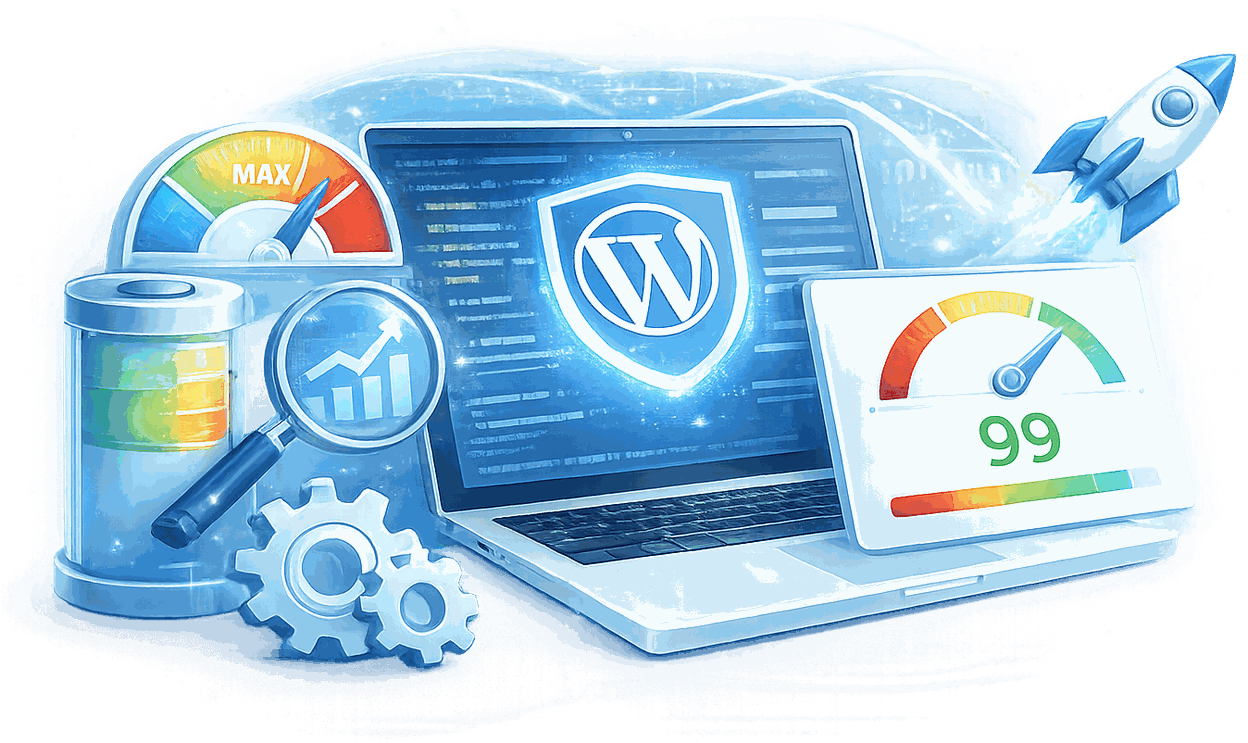
What Are the Benefits of WordPress Performance Optimization?

Caching Addresses Symptoms. Performance Optimization Fixes Root Causes.
The standard advice - install WP Rocket, enable lazy loading, compress images - treats the symptoms without addressing the causes. Enterprise WordPress sites accumulate performance debt from unoptimized database queries, third-party scripts injected without performance budgets, and server-side bottlenecks that caching plugins cannot reach.

What Rogers and Munich Re Taught Me About Performance That Most Developers Never Learn
Rogers and Sportsnet operate at a scale where a site failure during a live sports broadcast is a news story, not a support ticket. Internal performance SLAs at that level require architecture decisions - Redis object caching, query optimization with execution plans, CDN configuration that does not break the admin interface - that most WordPress developers have never encountered in production.
Root Cause Analysis and Systematic Remediation - Documented Throughout
Every optimization targets a measured bottleneck: Core Web Vitals (LCP, INP, CLS), Redis object caching that cuts database load on repeat page views, and database query optimization using execution plans to eliminate slow queries at the source.
Core Deliverables on Every Project
Every engagement includes a baseline performance audit, before/after Lighthouse reports for every change, and a root cause analysis document you can share with stakeholders. The documentation is not a formality - it is how you explain to a client why their site is faster and what would happen if the changes were reversed.

Measure First. Prioritize by Impact. Test Before Production.
Performance optimization applied without measurement is guesswork. I document the baseline before touching anything, prioritize improvements by expected score gain, and test every change on staging before it reaches production.

Ongoing and Additional Services
Performance is not a one-time fix. Monthly monitoring catches regressions before they show up in bounce rates, CDN configuration needs tuning as traffic patterns change, and hosting migrations often unlock the headroom that optimization alone cannot reach. These are available as standalone engagements or extensions of an existing project.
How Does My WordPress Performance Optimization Process Work?
Baseline Audit
Full performance audit across Lighthouse (lab data), WebPageTest run from a Toronto-based test node, Chrome User Experience Report (field data), and Query Monitor. Every bottleneck identified with its expected impact score. Most sites have 3-5 issues responsible for 80% of their score problems - those are identified and prioritized first. Nothing is changed until the full picture is documented.
Prioritization
Improvements ranked by expected score gain and implementation complexity. Highest-impact work comes first: typically database query optimization and render-blocking resource elimination before image optimization and CDN tuning.

Staging Implementation
Every change applied on staging, with a performance benchmark run after each significant change. If a change does not produce the expected improvement, it is investigated before moving to the next item - not stacked on top of other changes that obscure the cause.
Verification
Final Lighthouse and WebPageTest benchmarks on staging. CrUX field data noted for the 28-day post-deployment monitoring period - field data takes time to reflect changes, and both lab and field results are tracked.
What Should You Know About WordPress Performance Optimization Toronto?

What a Performance Audit Actually Covers
Before touching a configuration, I know exactly what is slow and why. Not "your PageSpeed score is 52." The specific reason: 14 render-blocking JavaScript files, 3.2 seconds of unused CSS being delivered on every page load, a database query running 840ms on the homepage because a plugin installed two years ago left an unindexed table it queries on every request.
Every engagement starts with a documented baseline: PageSpeed scores across device types, Core Web Vitals field data from Google Search Console - real user data, not synthetic - server response times, database query analysis, and a full audit of the asset delivery pipeline. The report you get before any optimization work starts is the document that determines what gets fixed in what order.

The Performance Problem No Plugin Can Fix
Caching plugins solve the WordPress layer. They do not solve the PHP configuration that limits concurrency to 5 simultaneous requests. They do not solve the shared hosting environment where your WordPress database sits alongside 800 other sites. They do not solve the CDN configuration that caches HTML correctly but bypasses cache for every WooCommerce session.
Server-side configuration is where the biggest gains live for sites that have already installed every recommended plugin. PHP-FPM pool settings, OpCode cache configuration, MySQL query cache, Redis versus Memcached for object caching - these are not settings most WordPress developers know how to tune. Rogers and Sportsnet required performance architecture at a level that forced fluency in those systems. That knowledge applies to every site, regardless of scale.
Every Optimization Is Testable and Reversible
Performance changes that are not tested before production create a different kind of problem. A Redis object caching implementation that works on staging can expose a session handling issue on production if the server configuration differs in any material way. A CDN cache rule that improves PageSpeed scores can break the WooCommerce cart for users in a specific region if the cache key does not account for the session cookie.
Every performance change I make is applied on staging first, measured against the baseline, and documented before it reaches production. If a change does not produce a measurable improvement in the right metric, it does not go live. Changes are applied in sequence - one variable at a time - so the source of an improvement or regression is always identifiable.
What Is Included in WordPress Performance Optimization?

Baseline Performance Audit
Full analysis across Lighthouse, WebPageTest, and Query Monitor before any change is made. Every bottleneck documented with its expected impact score, ranked by priority.

Before/After Lighthouse Reports
Documented performance scores for every page optimized - desktop and mobile, separately - at the start and end of the engagement. No claims without evidence.

Root Cause Analysis Document
A plain-language explanation of what was causing the performance issues, what was done to fix them, and why each fix addressed a root cause rather than a symptom.

Image Optimization
Bulk WebP conversion, dimension correction, lazy loading configuration, and CDN delivery setup for all image assets.

Script & Style Remediation
Render-blocking resource elimination, critical CSS extraction, plugin script scoping, and deferred loading configuration.

Database Optimization
Query analysis and index review, autoloaded options table cleanup, post revision history trimming, and documentation of any queries flagged for architectural improvement.
Which Add-Ons Are Available for WordPress Performance Optimization?
Enterprise projects and ongoing engagements typically include the following, scoped and priced explicitly after the initial audit:
Monthly Performance Monitoring
Ongoing Core Web Vitals monitoring with monthly review and intervention if scores degrade - because WordPress sites accumulate performance debt as plugins update and content grows. Integrated with the maintenance retainer service.
CDN Configuration & Setup
Full setup of Cloudflare, BunnyCDN, or your preferred CDN - including cache rules, cache invalidation on publish, and authenticated user handling. Included as a standard item in most engagements; available separately for sites that need CDN configuration only.
Hosting Migration
Migration to a higher-performance hosting environment if your current host is the primary bottleneck. Sites on shared hosting regularly produce TTFB above 800ms during peak hours. Clients who have moved to a configured VPS or managed WordPress hosting (Kinsta, WP Engine, Rocket.net) see that number drop to under 150ms without touching a single line of application code. I will tell you honestly if the hosting is the ceiling before recommending a migration.
WooCommerce Performance Sprint
WooCommerce-specific optimizations: product table query optimization, cart and checkout page tuning, payment gateway script deferral, and session handling configuration. Available as a standalone engagement for existing WooCommerce stores.
Annual Performance Sprint
A dedicated yearly engagement to push Lighthouse scores back to peak performance after a year of plugin updates, content growth, and theme modifications have accumulated performance debt.
Load Testing
Simulated traffic load testing at projected peak levels before a product launch, campaign push, or anticipated traffic spike - so you know whether your site holds before the event, not during it.
What Results Have Enterprise Clients Seen?
From 47 to 91 in 30 Days
A Toronto professional services firm came in with a PageSpeed mobile score of 47 and a 6.8-second Time to First Byte on the homepage. Not because of a lazy developer. Because the site had grown - five years of plugin additions, a theme update that changed the asset delivery pipeline, and a hosting plan that was right at launch and undersized by the time it needed to perform.
The audit identified four root causes. Fixes applied: Redis object caching, a CDN configuration that stopped bypassing cache on every logged-out pageview, WebP image conversion with proper srcset, and a database query optimization that took the homepage query from 840ms to 22ms. Result: mobile score 91, Time to First Byte under 400ms, Core Web Vitals all green within 28 days.
When PageSpeed Is a Business Metric, Not a Vanity Score
For Sportsnet and Chatelaine, a slow page during a traffic spike is a bounce rate problem and a revenue event at the same time. Performance under load is the only metric that matters - and it is one a quiet-Tuesday PageSpeed test cannot measure.
Synthetic performance tests show what the page delivers under no load. Real user monitoring shows what it delivers when 50,000 people arrive at once. Both matter. Both are part of every performance engagement. The target is not a good Lighthouse score in a developer console. It is a site that delivers the same experience at peak traffic as it does at 3am.
WP Engine Solution Center
Social Web Suite - my own WordPress plugin - is listed on the WP Engine Solution Center. WP Engine audited the plugin's code quality and performance before approving it for the listing. Passing that audit is a different standard than passing a client review. The world's leading managed WordPress host checked the work.
Frequently Asked Questions About WordPress Performance Optimization Toronto
Most enterprise WordPress sites reach 85-95 on desktop and 70-85 on mobile after a full optimization engagement. The exact improvement depends on starting conditions - a site at 40 has more headroom than a site at 75. I document the baseline before making any changes so the improvement is measured, not estimated. Clients moving from marketplace themes to custom builds have reached 90+ on desktop by removing 200KB of unused CSS and eliminating 14 render-blocking JavaScript files that the theme was loading on every page.
Not always. If your TTFB is consistently above 400ms, no amount of frontend optimization will get you to a good LCP - the hosting infrastructure is the ceiling. I will tell you honestly whether your current host is the primary bottleneck and recommend alternatives if so. If the hosting is adequate, optimization work addresses the application and frontend layers first.
Caching plugins address symptoms. A caching plugin cannot recover the time spent executing an unoptimized database query on every page load, or recover the render-blocking delay caused by loading 200KB of unused CSS. Performance optimization identifies root causes - what is actually making the site slow - and addresses them at the source. Caching is one of the tools applied in the process, not the solution.
Yes. A desktop Lighthouse score of 90 does not guarantee a mobile score of 90. Mobile optimization requires separate attention: touch target sizing, viewport configuration, font loading strategy, and render-blocking resource handling that differs from desktop. Both are benchmarked independently. Only 44% of WordPress sites on mobile pass all three Core Web Vitals - mobile is where the gap is largest and where the ranking impact is most significant.
Critical remediation on most mid-market sites wraps in three to five days once the baseline audit is complete. A full optimization engagement - including server-level caching configuration, database query optimization, and CDN setup - typically takes two to three weeks from audit to production deployment. Enterprise engagements with load testing at peak traffic levels run four to six weeks. I will tell you exactly what is needed after the audit, before any work begins.
Lighthouse Performance score (lab data), Core Web Vitals field data from CrUX (LCP, INP, CLS), and TTFB - all documented before and after. Lab data reflects the technical improvements immediately. Field data (CrUX) takes up to 28 days to update because it is based on real user sessions. I track both and note the distinction in the final report.
Both. Performance audits and optimization sprints on existing sites are a common engagement type - particularly for sites that have accumulated plugin bloat, outdated caching configuration, or a marketplace theme that was never optimized. New builds are architected for performance from the start, with the same root cause analysis applied to every design and code decision.
Is your WordPress site holding your business back?
Let’s measure where you are now and define what a faster site would be worth to you. I will run a baseline audit and tell you exactly what is causing the performance issues, what fixing them would cost, and what score improvement you can expect - before any work begins.No commitment. A direct assessment of what is slowing your site and whether this engagement makes sense.
Beyond client projects, I'm also co-founder of HYPESTUDIO.
It's a separate AI automation agency (not a WordPress service) building workflows, agents, and systems for growing businesses.
Visit HYPESTUDIO.orgAI automation, integrations & growth systems