WooCommerce Development in Toronto
Enterprise WooCommerce development means proper code structure, staging, Git version control and PCI DSS compliance from the first day of the project. I build WooCommerce stores in Toronto to that standard. I also built a custom Amazon Personalize plugin for WP Engine and presented it with AWS at Decode 2021.
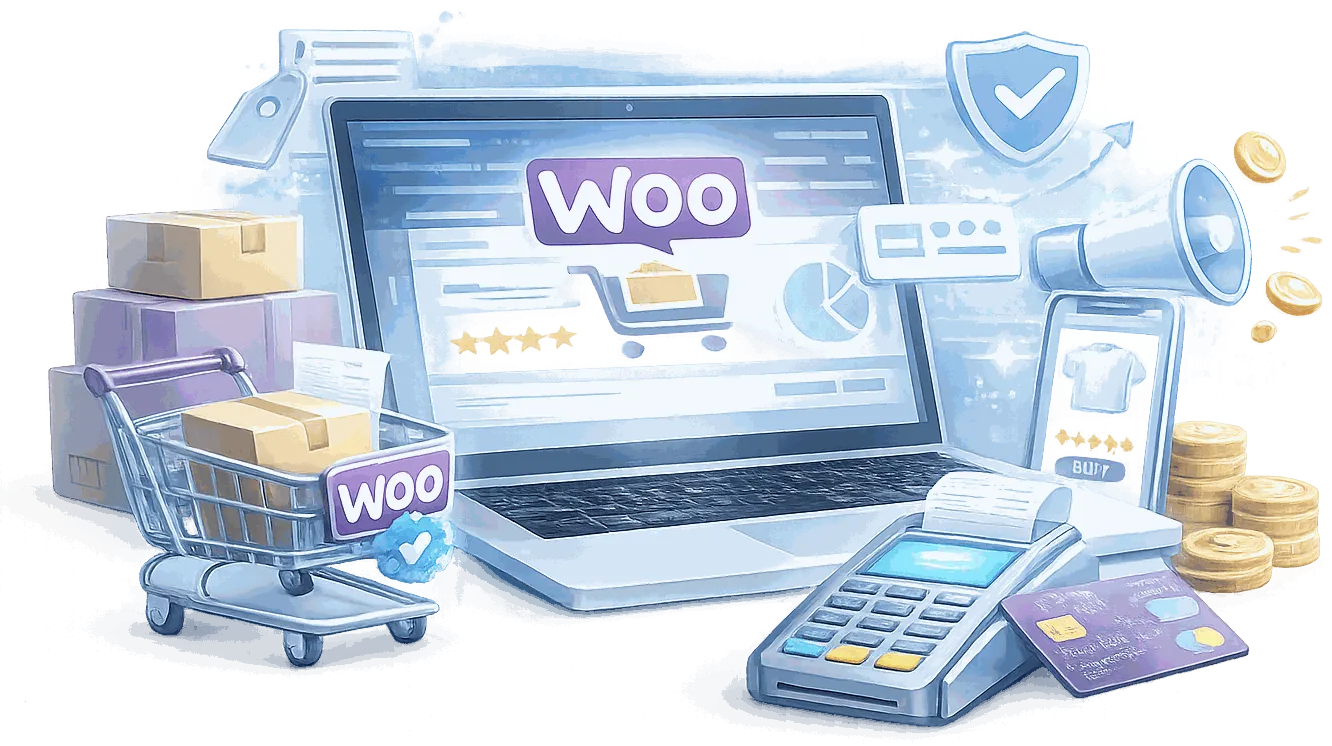
What Are the Benefits of WooCommerce Development?
WooCommerce in Toronto Is Not the Same as WooCommerce Anywhere Else
Generic WooCommerce tutorials and offshore development teams treat Canadian compliance as a checkbox. It is not. GST/HST province-by-province, Quebec QST, PIPEDA-compliant data collection, and PCI DSS scope reduction are baseline requirements for any store selling in Canada - and the ones most commonly missed by developers who learned WooCommerce from tutorials written for the US market.
AI-Powered Product Recommendations - Built Into WooCommerce, Not Bolted On
Most WooCommerce recommendation plugins use rule-based logic: same category, same tag, manually curated lists. Amazon Personalize trains on your actual transaction data and surfaces recommendations specific to each individual shopper. I will tell you upfront whether your catalogue size and traffic volume make it a good fit - it is not the right solution for every store.
Scaling Past $1M in Revenue Requires Architecture Decisions Most Developers Never Encounter
WooCommerce out of the box is not enterprise WooCommerce. The default configuration is not built for catalogues of tens of thousands of SKUs, traffic spikes during a product launch, or payment volumes that require PCI DSS Level 1 consideration. The architecture decisions that determine whether your store scales or collapses are made in the first two weeks of a project.
Every Engagement Includes
Every engagement includes a store architecture document, a custom theme or storefront, and purpose-built plugin development for any functionality off-the-shelf extensions cannot support.

A Process That Prevents the Rebuilds
Most WooCommerce stores need to be rebuilt 18 months after launch because the discovery phase was skipped. Understanding your business logic - how your products actually work, what your fulfilment process looks like, where WooCommerce needs to talk to an external system - is the work that determines whether the build holds or fails.

Extend the Build
Common add-ons include Amazon Personalize AI recommendations, a B2B pricing portal, and subscription billing.
How Does My WooCommerce Development Process Work?
Discovery (60-90 min)
I map your product catalogue, pricing logic, fulfilment workflow, and existing system integrations before planning the build. Most clients discover a cleaner solution to the underlying problem in this conversation. Every hour spent here saves three hours in revision cycles.
Architecture & Specification
I design the data model, product structure, payment flow, and integration layer and present it for your approval before development begins. For Canadian merchants, GST/HST configuration and PCI DSS scope are planned at this stage - not bolted on later.

Staging + Git Setup
All development happens on a staging environment that mirrors production. Git version control runs from day one. If your current WooCommerce developer does not use version control, you do not have a developer - you have a risk.
Development Sprints
I build in two-week sprints with staging demos at each milestone. You see working functionality, not a big reveal at the end. Each sprint produces reviewed, tested code - not ‘it works on my machine’ code.
What Should You Know About WooCommerce Development Toronto?
The Discovery Phase Determines Whether You Rebuild in 18 Months
Most WooCommerce stores that need to be rebuilt after 18 months had the same problem at the start: the discovery phase was not done properly.
Product structure decisions, pricing logic, checkout flow, integration points with external systems - these are architecture decisions, not configuration tasks. Made wrong at the start, they are expensive to reverse after launch.
The discovery I run before any WooCommerce build produces a store architecture document before any code is written. Every product type, every pricing rule, every integration point is mapped before the first line of code. That document is the reason the build does not need to be redone.

Payment and Tax Configuration Is Where Canadian WooCommerce Compliance Starts
GST/HST validated against Canada Revenue Agency rules. Quebec QST handled separately from HST. Digital products taxed at the point of sale based on the customer's province. B2B purchases from registered businesses handled with appropriate tax exemptions.
These are not optional configurations for a WooCommerce store selling in Canada. They are compliance requirements, and getting them wrong creates liability exposure.
I have configured payment and tax logic for WooCommerce stores across Ontario and Quebec. The configurations are documented, tested against CRA-published rules, and verified by an accountant before launch when the client requires it.

WooCommerce Performance at Volume Is a Different Problem Than Performance at Launch
A WooCommerce store performing well at 50 orders a day does not necessarily perform well at 500. The bottlenecks are different, and they are often invisible until they become a problem under load.
Database query performance under concurrent checkout. Object caching configuration for a product catalog of thousands of SKUs. Session handling when traffic spikes during a promotional event. These are not performance problems that WooCommerce-as-configured-by-default solves.
I scope performance at discovery, not after launch. Redis configuration, database indexing, and query audit are part of the build - not a remediation project six months later.

Canadian Compliance Is Baseline, Not Optional
Toronto merchants face requirements that generic WooCommerce tutorials skip: GST/HST tax configuration validated against CRA rules, PIPEDA-compliant data handling for customer records, PCI DSS scope reduction through tokenized payment flows, bilingual EN/FR storefronts for national brands, and WCAG accessibility. Every one of these has legal weight. None of them are add-ons. They are part of the standard build for any Canadian merchant operating at scale.
Mobile Performance Is Where Most WooCommerce Stores Lose Sales
Mobile drives the majority of e-commerce traffic, but checkout conversion rates on mobile consistently lag desktop. The gap comes from stores built desktop-first and tested on WiFi - not from mobile users having different purchase intent. PWA implementation and checkout flow optimization close that gap directly. The architecture decisions that determine whether a store converts on mobile are made at build time, not patched in after launch when the performance debt is already costing you revenue.

20+ Years of Web Development Means Fewer Surprises at Scale
Technical debt from underqualified developers is one of the most common and costly problems enterprise e-commerce teams face. When Rogers and Sportsnet platforms had to perform under live broadcast traffic, there was no option for fixing it after launch. I published WordPress Responsive Theme Development with Packt in 2013, co-organized WordCamp Toronto from 2014 to 2016 as lead organizer in 2016, and have built production systems inside organizations that measure failure in lost revenue per minute. That context informs every WooCommerce build I take on.
What Is Included in WooCommerce Development?

Store Architecture Document
A technical specification covering product structure, pricing logic, payment flows, integration points, and performance targets - reviewed and signed off before development begins.

Custom Theme or Storefront
A WooCommerce storefront that implements your brand system with a checkout flow optimized for conversion. Built from your Figma files or brand guidelines - no interpretation errors.

Custom Plugin Development
Purpose-built plugins for any functionality off-the-shelf extensions cannot support reliably - written to WordPress Coding Standards with inline documentation and Git history.

Integration Layer
Secure, documented API integrations connecting WooCommerce to your ERP, CRM, or third-party systems - with idempotent sync logic and explicit failure handling.

Canadian Compliance Configuration
GST/HST configuration validated against CRA rules, PIPEDA-compliant data handling, PCI DSS scope reduction through tokenized payment flows, WCAG accessibility.

Performance Hardening
Redis caching configuration, database query optimization, CDN setup, and Core Web Vitals testing across mobile and desktop before launch.
Which Add-Ons Are Available for WooCommerce Development?
Amazon Personalize AI Recommendations
Available as part of a new build or as an integration into an existing store. Requires an AWS account and a minimum catalogue size to train effectively. I will tell you upfront whether your store is a good fit.
B2B Pricing Portal
Account-specific pricing, purchase order checkout, net-30 invoicing, and wholesale pricing tiers built to your actual business rules - not approximated with a generic plugin that conflicts with your tax configuration.
Subscription Billing
Recurring billing, pause, and cancellation workflows for subscription product lines - integrated with your CRM or legacy billing system where a ready-made plugin does not exist.
WPML Bilingual EN/FR
Translated product catalogues, currency and tax handling per locale, and URL structure decisions made correctly the first time. Delivered in production for Great-West Life and its subsidiaries.
WooCommerce Audit & Rebuild
Stores built wrong the first time that need proper architecture before they can scale. I audit your stack - hosting configuration, database query performance, plugin overhead, asset delivery - and deliver a documented remediation plan with measurable targets. Not ‘your site is slow, here is a caching plugin.’
PWA Implementation
Progressive Web App configuration for mobile-first stores. Mobile drives the majority of e-commerce traffic, but checkout conversion rates on mobile consistently lag desktop. PWA implementation and checkout optimization close that gap directly.
n8n Automation Layer
Connect your WooCommerce store to any external platform via n8n automation: abandoned cart sequences, CRM sync triggered by order events, AI-driven content pipelines. 80+ automations delivered.
Ongoing Maintenance Retainer
Monthly WooCommerce core and plugin updates, security monitoring, performance review, and minor feature additions - from a developer who knows your codebase, not a support queue.
What Results Have Enterprise Clients Seen?
What Canadian WooCommerce Compliance Actually Costs When It's Done Wrong
A WooCommerce store that launches without correct GST/HST configuration is not just non-compliant - it is either overcharging customers in provinces where the rate is wrong, or underremitting tax to CRA. Both create liability exposure that does not show up until an audit.
The most common errors: HST applied at a flat rate instead of province-by-province. Quebec QST not configured separately from HST. Digital products taxed incorrectly at the point of sale. B2B transactions from registered businesses not handled with the appropriate exemption.
I configure tax logic against CRA-published rate tables, test every province and product type combination on staging, and document the configuration so your accountant can verify it before launch. That documentation has saved clients from CRA correspondence that would have cost far more than the build.
WP Engine Contracted This Integration - Then Presented It at Their Partner Conference
WP Engine contracted me to build the WooCommerce integration for Amazon Personalize. They presented it at their Decode 2021 conference alongside AWS, and listed it as a featured solution in their Solution Center.
That is a different credential than a client testimonial. WP Engine evaluated the plugin, validated it against their platform, and chose to put their name on it in front of their partner network.
The plugin is available as part of a new WooCommerce build or as an integration into an existing store. Agencies that want to offer it to their clients can access it through a white-label arrangement.
The WooCommerce Store Architecture Document - What's In It and Why It Exists
Before any code is written on a WooCommerce build, I produce a store architecture document. It covers: product structure and variation logic, pricing rules and discount hierarchy, checkout flow and payment gateway configuration, integration points with external systems, and a hosting and caching specification.
That document has one purpose: to surface every decision that is expensive to reverse after launch before it is made in code. Product taxonomy decisions that affect URL structure and SEO. Pricing logic that breaks if the wrong plugin handles it. Integration architecture that determines whether the ERP connection is maintainable by the next developer.
Every client who has received this document has avoided at least one rebuild. That is not a marketing claim - it is why the document exists.
B2B WooCommerce - Role-Based Pricing and Wholesale Logic That Scales
B2B WooCommerce requires logic that off-the-shelf extensions handle inconsistently at scale: role-based pricing tiers, purchase order workflows, minimum order quantities by customer segment, tax exemptions for registered businesses, and invoice-on-account payment terms.
The failure mode I see most often: a plugin that handles simple wholesale pricing correctly but breaks when a customer's role changes mid-session, or when a product has both B2C and B2B variants with different pricing rules.
I build B2B pricing logic as custom plugin code, not as plugin configuration. The rules are documented, the edge cases are tested on staging with representative customer accounts, and the code does not break when the next WooCommerce update ships.
PCI DSS Scope Reduction - The WooCommerce Security Work Most Developers Skip
Most WooCommerce stores do not need full PCI DSS Level 1 certification - but they do need to reduce their PCI scope to the minimum required by their payment gateway. That means no card data touching your server, correct SSL configuration, and a hosting environment that satisfies your gateway's security requirements.
What I deliver before a WooCommerce store goes live: a PCI scope review covering payment flow architecture, SSL configuration, hosted payment page vs. direct API integration, and a summary document your payment gateway account manager can verify.
Stores that skip this step discover the gap when their gateway flags the account, when a chargeback triggers an audit, or when a security scanner finds an issue their developer did not anticipate. The review takes less time than any of those outcomes.
Frequently Asked Questions About WooCommerce Development Toronto
Enterprise experience at organizations where failure has real consequences. Rogers and Sportsnet operate at a scale where a site failure during a live broadcast is a news story, not a support ticket. Munich Re's IT security team ran penetration tests and automated security scans before deployment. The platform passed. Ministry of Education Ontario procurement requires bilingual compliance and accessibility standards. Those defaults carry into every WooCommerce build I take on, regardless of the client's size. And I built a custom Amazon Personalize WooCommerce integration - contracted by WP Engine and presented at their Decode 2021 conference with AWS.
With proper database indexing, Redis object caching, query optimization on WooCommerce product tables, and a CDN configured correctly for static assets, WooCommerce scales to catalogues of tens of thousands of SKUs. The architecture decisions that determine whether it scales or collapses are made in the first two weeks of a project - not patched in after launch when the site is already slow.
GST/HST configuration validated against CRA rules, PIPEDA-compliant data handling, PCI DSS scope reduction through tokenized payment flows, bilingual EN/FR storefronts for national brands, and WCAG accessibility compliance under AODA. None of these are add-ons. They are part of the standard build for any Canadian merchant operating at scale.
If the system exposes a REST API, I can connect it to WooCommerce. I have delivered integrations with HubSpot, Zoho, and custom ERP systems across retail, financial services, and professional services clients. The approach is always the same: map the data model carefully, build idempotent sync logic so the same transaction cannot be processed twice, handle failures explicitly with logging and alerting, and test with real transaction data before go-live. Integrations that fail silently are worse than integrations that do not exist.
Stripe and PayPal are the default starting point for most builds - both are well-documented, reliable, and straightforward to configure correctly. For Canadian merchants who need a domestic gateway, I also support Moneris and Bambora. All configurations include 3DS2 authentication, failed payment retry logic, and webhook handling that does not silently drop order status updates. A failed webhook that marks a paid order as pending is not a minor bug - it is a customer service incident and a potential chargeback. Payment gateway configuration is documented and tested with real transaction data before launch.
Amazon Personalize is AWS’s machine learning recommendation engine - the same infrastructure that powers recommendations on Amazon.com. My plugin integrates it directly into WooCommerce product pages, cart, and checkout, training on your actual purchase history and browsing behaviour rather than aggregate ‘customers also bought’ data. Stores see an average 15% increase in order value. Whether your store is a good fit depends on catalogue size and monthly traffic volume - I will tell you honestly before we discuss scope.
Post-launch is not the end of the project. I monitor error logs, payment gateway webhooks, and performance metrics for the first 30 days. If something breaks in production that did not show in staging, I am on it before you file a support ticket. My clients across insurance, government, and media sectors know I am reachable and stay engaged beyond the invoice.
Yes. Performance audits, ERP integrations, payment gateway upgrades, and custom functionality additions to existing stores are common engagements. I audit your current stack - hosting configuration, database query performance, plugin overhead, asset delivery - and deliver a documented remediation plan with measurable targets, not a generic recommendation to install a caching plugin.
PIPEDA - the Personal Information Protection and Electronic Documents Act - is Canada's federal privacy law. It governs how businesses collect, use, and disclose personal information during commercial activity. For a WooCommerce store, that means every customer name, address, purchase history, and payment record falls under it. You need consent before collecting data, a clear reason for collecting it, and a process for customers to access or correct what you hold. Non-compliance is investigated by the Office of the Privacy Commissioner - and findings are published. I've built PIPEDA-compliant data handling into stores for enterprise clients including Great-West Life and Canada Life, where legal teams reviewed every data flow. It's not optional for any store doing business in Canada.
PCI DSS - the Payment Card Industry Data Security Standard - is the security framework set by Visa, Mastercard, Amex, and Discover for any business that accepts card payments. For WooCommerce, the right approach is scope reduction through tokenization: your store never touches raw card data. The payment gateway - Stripe, PayPal, Moneris, or Bambora - handles card capture and returns a token. Your obligation shrinks from hundreds of controls to a short self-assessment. I configure this by default on every build. The alternative - storing or transmitting card data yourself - puts you in the highest compliance tier and creates liability no small or mid-size retailer should carry. If your current store is not using a tokenized gateway, that is the first thing to fix.
Ready to build a WooCommerce store your business can rely on?
Tell me about your catalogue, your customers, your existing systems, and your compliance requirements. I will respond within one business day with a candid assessment of the right WooCommerce architecture for your situation - including whether Amazon Personalize is a fit for your store.No commitment. No sales pitch. A direct conversation about what your store needs and whether this engagement makes sense.
Beyond client projects, I'm also co-founder of HYPESTUDIO.
It's a separate AI automation agency (not a WordPress service) building workflows, agents, and systems for growing businesses.
Visit HYPESTUDIO.orgAI automation, integrations & growth systems